Financial statements

Check your
financial statements

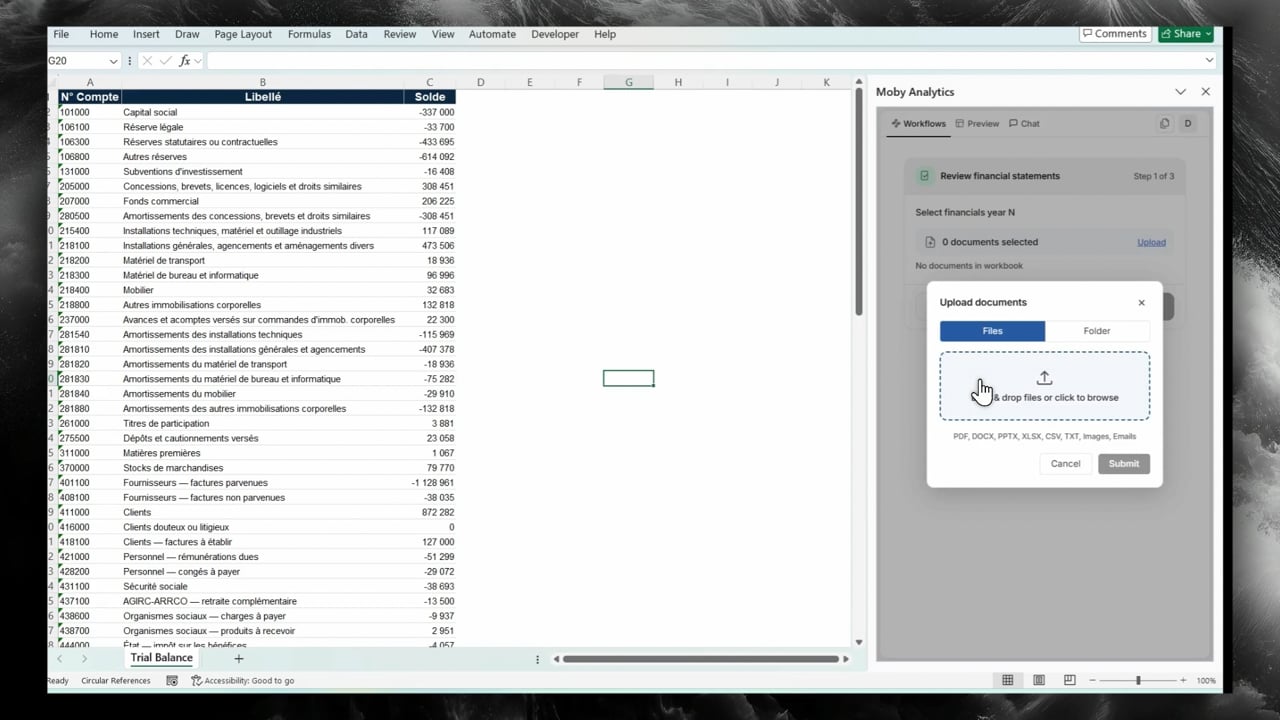
Moby checks totals, prior-year figures and trial-balance matches. Get ticked statements and a clear list of items to validate.

5 minto ticked statements
1,000trial-balance rows tied
1 clickfrom figure to source

What you receive

Ready for your review.

Ticked statements

Colored tickmarks identify arithmetic, prior-year and trial-balance checks. Download the PDF with your annotations.

Review summary

Checks, validations, differences and validation rate in one tab. Review flagged figures with page references and cell links.

Identified differences

Reclassifications, new lines and missing prior-year figures listed for your review.

Version comparison

New statements?
Recheck in seconds.

  • Word-by-word differences listed in a sheet
  • Re-run the tie-out in one click
  • Every ticked figure linked to its source page

Frequently asked questions

What does Moby check?

Sums and subtotals, line-by-line consistency with prior year, including reclassifications, and matches against the trial balance.

Which documents do I need?

Current-year statements in PDF. Optionally, add prior-year statements and the trial balance from Excel, up to 1,000 rows.

Can I download the ticked document?

Yes. Download the PDF with colored tickmarks and your annotations, ready for the audit file.

How do I check a new version?

Compare versions in seconds, with word-by-word differences listed. Then re-run the tie-out on the new version.

Where does my data go?

Your files are stored on Microsoft Azure in the EU and are never used to train AI models.

Live demo

See Moby in Excel.

20 minutes. A live tie-out and ledger analysis on a sample file.

Reply within one business day · No commitment

By booking a demo, you're confirming that you agree with Moby Analytics' Terms and Conditions